
Julia Thompson, an emergency room nurse at a public hospital, shared a crucial iPhone tip on Facebook to help first responders identify patients and contact their families—even when phones are locked.
She noted: "Many patients arrive at the ER unidentified, with locked phones preventing us from reaching loved ones."
What many don't realize: iPhones allow you to store medical information accessible from the lock screen.

This built-in feature streamlines care for those in critical condition.
The free Health app—white icon with a red heart—lets you create a Medical ID.
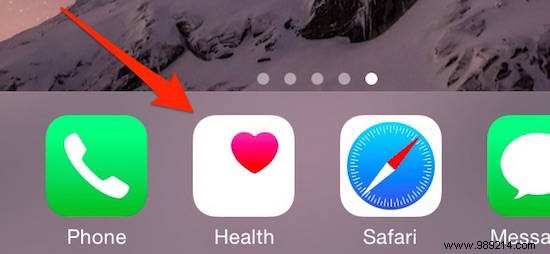
Open the Health app and tap Medical ID (far right at the bottom):
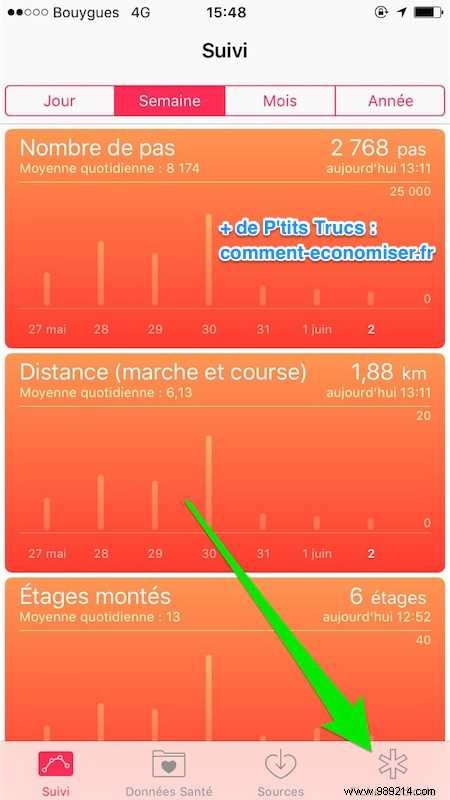
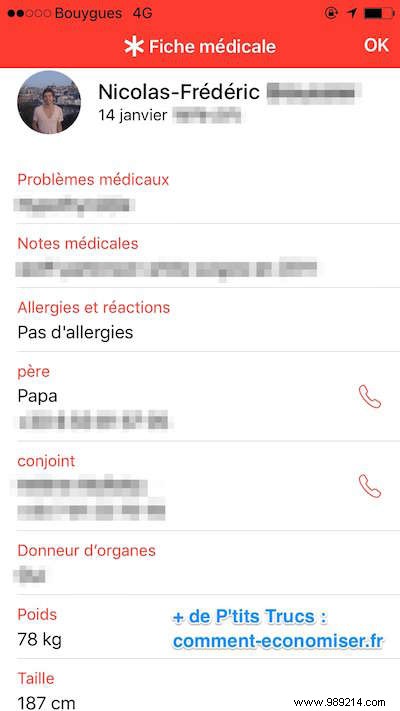
Add key details: medical conditions, blood type, allergies, medications, emergency contacts, and organ donor status. It takes just 2 minutes.
This info is vital for doctors and accessible from the lock screen: Tap Emergency, then Medical ID.
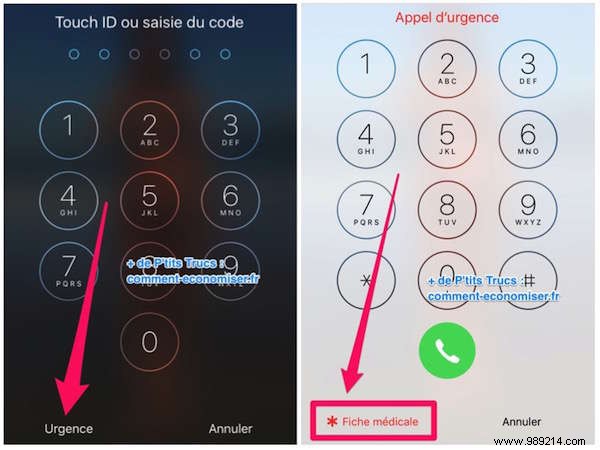
Here's Julia's full Facebook post:
"In the public hospital where I work, I see patients arrive at the Emergency Department unidentified, phones locked.
"Set up a Medical ID in the free Health app. It's viewable even when locked: name, DOB, contacts, conditions, blood type, organ donor status, plus notes.
"Access via Health app (pre-installed on iPhones). Most people I ask don't know about it—share widely to save lives!
"Update yours and tell friends. Android has 'In Case of Emergency' app."
I added mine right away:
Available on iPhones with iOS 9+: 4S, 5, 5S, 5SE, 6, 6 Plus, 6S, 6S Plus, 7, 7 Plus, 8, 8 Plus, X.
No smartphone? Add a medical info card to your wallet here.
